On the face of it, Facebook can seem very frivolous and intended only for the “me” generation. Most of us don’t care who is drinking a latte, standing in line at the show or enjoying a drink in the sun. It is easy to say “not for me” But you can make Facebook into a very useful tool for genealogy. Here’s how: First you need to have a Facebook account. You can sign up here:
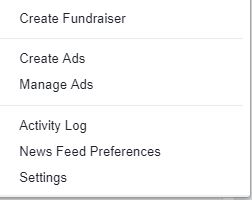
Once you have an account, make sure you have your privacy settings where you want them. You can do that under privacy settings. To get there, go to the upper right hand side of your home page. You will see your name, a lock, and then what looks like a gear or wheel. Click on that and a drop down box will appear. Click on Privacy settings. Click on edit beside each area and set your settings to your comfort level. For the most part, you may want to set most things to “Friends” only.
With that done, return to your “home” page. At the top, you will see a search bar. Here’s where you will find the genealogy groups or pages of interest to YOU. Use search words like: Genealogy, Scottish genealogy, or any other term you think might help you find the info you are seeking. Watch to make sure you click on the top few and not the “search on the web” or you will be taken to web pages that are not part of Facebook.
When you find a genealogy page or group that is of interest, you simply “Like” the page or send a “join group” request. Once you have done this, new posts will start to appear in your news feed on your home page. Hover your mouse over the “Like” button and choose “show in news feed” If at some future point you choose not to belong anymore, you can hover your mouse over the “Like” button and “unlike” or “leave group”
Here are some links to pages to get you started:
Blair Archival Research:
A number of the Scottish Family History Societies also have Facebook Pages. These include: Fife: https://www.facebook.com/#!/FifeFamilyHistorySocietyLanarkshire:https://www.facebook.com/#!/pages/Lanarkshire-Family-History-Society/118076764933738Aberdeen: https://www.facebook.com/#!/anesfhsBorders: https://www.facebook.com/#!/photo.php?fbid=10151542474249511&set=a.10151542474229511.1073741826.183462744510&type=1&theaterWork away at the search bar to see if YOUR family history society has a Facebook page. There are also a number of genealogy groups, few of which are specific to Scottish genealogy. The one exception would be the two groups dedicated to British Home Children:
Families of British Home Children / British Child Migrants:
British Home Children Advocacy & Research Association:
What’s the difference between a page and a group? Well, generally, pages are more for businesses or organizations. To get the information posted, you simply need to “like” the page. Groups are a collective of like-minded individuals who share a common interest.
Usually groups are more controlled and require approval of membership. You will see a “request to join group” button and once the moderator of the group approves you (almost a given so long as you are real and not a robot trying to spam the group) then the information posted will show up in your news feed.
You can also broaden your interests to include other aspects of your Scottish heritage: newspapers, archives, sports clubs, towns and villages, local schools and businesses you are aware of in Scotland. One man I follow posts nothing but amazing photos. He warms my heart daily with visual reminders of my homeland. Get creative in the search bar. You never know what hidden gem of a resource you might come across.